Learn how to set up CNAME in the Parallels Plesk panel.
Enter the Websites&Domains insert and open the DNS setting of the required domain:
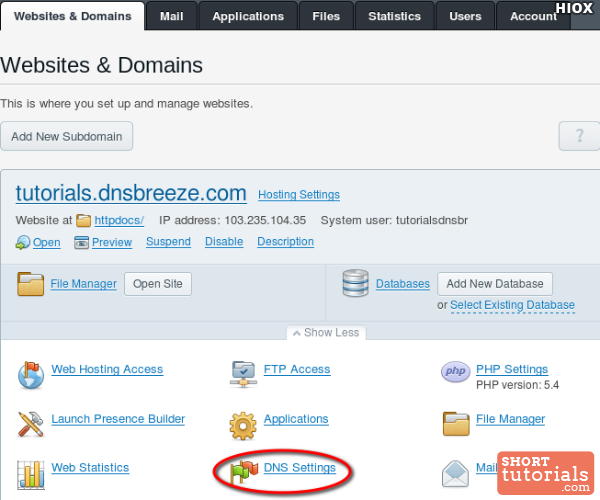
To change the existing record, click on its name.
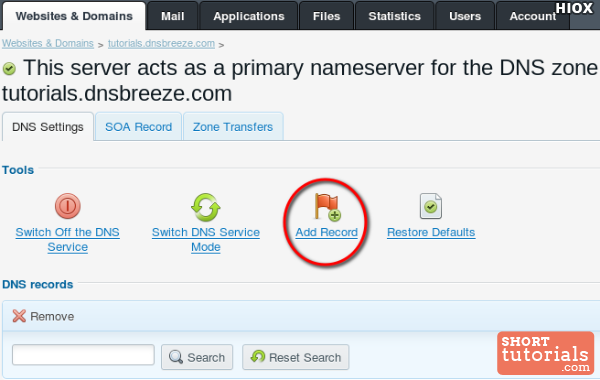
To add a new record, click on Add a record:
Example of adding a CNAME record:
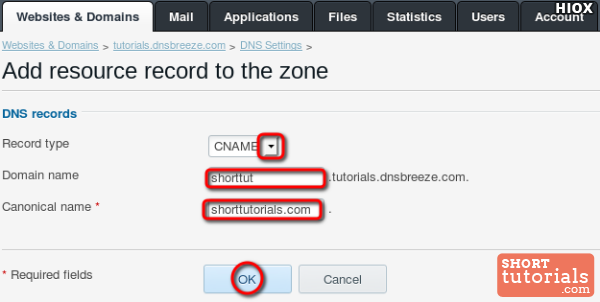
In the Domain name field, specify the subdomain of your site in the Canonical name – “whitelabel.travelpayouts.com”.